Managing Open Banking Connections: Auditing and Revoking Access


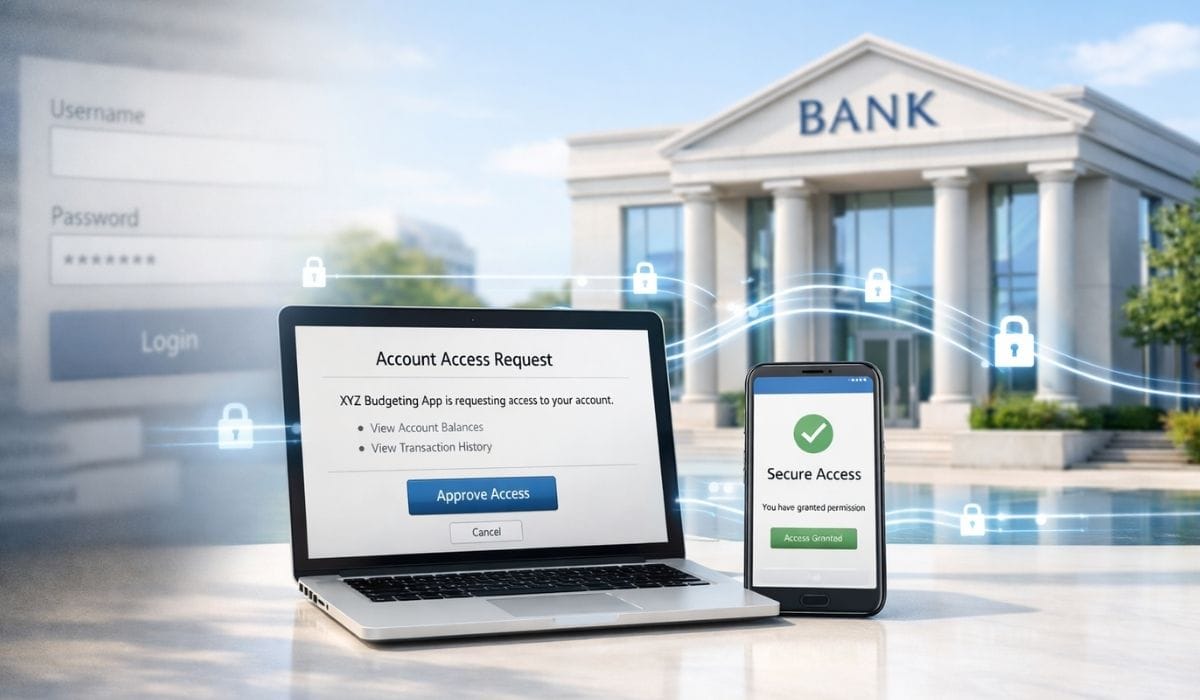
Authorizing an open banking connection is easy, but managing it over time is what protects your financial data. Every active connection gives a third-party service ongoing access to specific account data until it expires or you revoke it. Regularly reviewing your bank’s consent dashboard helps you see which services still have access, what data they can view or act on, and whether that access still delivers enough value to justify the risk.
- Unused or forgotten open banking permissions increase data exposure without providing any benefit, so they should be revoked promptly.
- Your bank’s consent management dashboard shows which apps are connected, which accounts and data types they can access, and when permissions expire.
- Revoking access through your bank is the most reliable way to stop data sharing, even if third-party apps also offer disconnect options.
- Stopping access prevents new data sharing but does not delete data already collected; separate data deletion requests may be required under privacy laws.
- Quarterly or biannual reviews of connected apps help maintain control, reduce risk, and build confidence in using open banking services.
Authorizing an open banking connection is usually straightforward, with most services guiding users through the process using clear prompts and consent screens. However, authorization is only the beginning of the relationship between you, your bank, and the third-party service.
Managing those connections over time, understanding which permissions are active, reviewing whether they’re still needed, and revoking access when appropriate, typically requires accessing your bank’s consent management tools or, in some cases, the third-party service itself.
Why Active Management Matters
Open banking permissions do not manage themselves indefinitely. Without periodic review, active authorizations can accumulate over time. You might have tested several budgeting apps before choosing one to keep, or used a loan comparison service for a single purpose, while other services retain access until that permission expires or is explicitly revoked.
Each active authorization increases your overall data exposure. Although regulated open banking providers are required to implement strong security controls and typically access limited, permissioned data rather than full credentials, every additional connection expands the potential impact if a third party experiences a security incident. Retaining unused access provides no benefit while increasing risk.
Active management also improves visibility into how your financial data is shared. Understanding which organizations have access, which accounts are connected, and the purpose of that access supports informed privacy decisions and reduces unnecessary data sharing. This clarity helps replace vague assumptions about data access with concrete awareness and control.
Finding Your Bank’s Consent Dashboard
The primary tool for managing open banking connections is your bank’s consent management dashboard. Regulatory requirements typically mandate that banks provide these dashboards, though their location and design vary by institution.
Most commonly, you’ll find the consent dashboard within your online banking platform’s settings or security section. Look for terms like “connected apps,” “third-party access,” “open banking connections,” or “data sharing permissions.” The Open Banking Standards recommend using “open banking connections” or “open banking connected accounts” to help users find these settings.
Some banks make consent management particularly prominent, recognizing that visibility builds trust in open banking. Others bury it several menu levels deep. If you’re having trouble locating the dashboard, your bank’s help section should provide guidance, or customer support can direct you to the right location.
Mobile banking apps increasingly include consent management features, though the full functionality might only be available through web-based online banking. If you primarily use your bank’s mobile app, check whether it includes open banking management or whether you need to log in through a browser for full access.
What the Dashboard Shows You
A well-designed consent dashboard provides comprehensive information about each active authorization. For every third-party service with access to your accounts, you should be able to see several key details.
The service provider’s name and logo help you quickly identify which organizations have access. This should be the official, regulated name of the provider, not just a brand name that might be ambiguous. If the service is operated by one company acting on behalf of another, both names should be displayed.
The accounts to which access has been granted appear listed individually. You might have authorized a service to access your current account but not your savings account, and the dashboard should make this distinction clear. Understanding which specific accounts each service can see helps you assess the scope of access.
The type of access granted distinguishes between read-only data access and payment initiation capabilities. This matters significantly, read-only access means the service can view information but cannot move money, while payment initiation access carries additional capabilities that warrant closer attention.
The data categories to which the service has access should be specified. Can the service see only balances, or does it have access to full transaction history? Can it view standing orders and direct debits? The more granular this information, the better you can assess whether the access remains appropriate.
The date when you granted authorization provides context for how long the connection has been active. If you see authorizations from years ago for services you barely remember, that’s a signal that review and possible revocation might be appropriate.
The expiration date shows when the current authorization will automatically lapse if not renewed. Open banking permissions typically expire after 90 days, though specific durations vary by jurisdiction and service type.
Some advanced dashboards also show access history, when the service last retrieved data from your accounts and how frequently it’s been accessing information. This activity log helps you distinguish between services actively using their access and those that might have permission but aren’t actually connecting to your accounts.
Interpreting What You Find
Once you’ve located and reviewed your consent dashboard, the next step is interpreting what you see and deciding what action, if any, is appropriate for each authorization.
Consider whether you’re still actively using each service. If you haven’t opened a budgeting app in six months, does it still need access to your ongoing transaction data? Services you no longer use should generally have their access revoked, there’s no benefit to maintaining authorization for dormant connections.
Evaluate whether the scope of access still makes sense. Perhaps you initially authorized a service to access multiple accounts but now only use it with one account. Many services allow you to modify which accounts are connected, removing access to accounts that are no longer relevant to your use of that service.
Think about whether the data being shared remains proportionate to the value you’re receiving. If a service provides minimal benefit but has broad access to your financial data, that imbalance might warrant reconsideration. The calculation is personal, what counts as valuable varies by individual, but conscious evaluation helps ensure you’re making informed tradeoffs.
Check for services you don’t recognize. If the dashboard shows an authorization to a provider you don’t remember authorizing, that warrants investigation. It might be a service you used briefly and forgot about, or it could indicate unauthorized access that needs immediate revocation.
Review whether services with payment initiation capabilities still require that level of access. If you authorized payment initiation for a specific one-time purpose but the service has ongoing access, consider whether that’s still appropriate or whether the connection should be removed.
The Revocation Process: Step by Step
Revoking access through your bank’s consent dashboard is generally straightforward, although the exact interface and terminology vary by institution.
Most dashboards list each active authorization alongside an action button or link, commonly labeled “revoke,” “remove,” “stop sharing,” or “disconnect.” Selecting this option starts the revocation process.
The bank may ask you to confirm the revocation. This confirmation screen should clearly identify what is being revoked, including the service name, the accounts involved, and the type of access granted, to help ensure you are canceling the correct authorization. Reviewing these details carefully helps prevent accidental revocation.
Some implementations may ask why you are revoking access, typically for feedback or security monitoring purposes. Providing a reason is optional. Under regulated open banking frameworks, you are not required to justify revoking consent and may withdraw authorization at any time and for any reason.
Once revocation is confirmed, the bank disables the third party’s authorization, preventing it from using its access credentials to retrieve data or initiate actions on your accounts. In most cases, this takes effect immediately, although short propagation delays can occur in complex systems.
The bank should provide confirmation that the revocation was successful. This may appear as an on-screen message, an entry in an activity or audit log, or, in some cases, an email notification. Keeping a record of when access was revoked can be useful for future reference.
Revoking Access Through the Third-Party Service
While your bank’s consent dashboard is the most authoritative tool for revoking open banking access, many third-party services also allow you to disconnect accounts from within their own apps or web platforms. Reputable providers typically include account connection management as part of their settings.
Third-party applications usually offer a section where you can view linked bank accounts and disconnect them. The exact location varies, it may appear under account settings, security settings, or connection management, but the option is generally accessible in well-designed services.
In properly implemented, API-based open banking integrations, disconnecting an account through the third-party service should trigger a formal revocation process. The service requests that the bank invalidate the associated access token, preventing any further data access.
One advantage of revoking access through the third-party service is convenience. If you are already logged into the app and reviewing whether you still want to use the service, disconnecting the account in that context can be quicker than separately logging into your bank to manage permissions.
However, an important distinction remains. When you revoke access directly through your bank, you can be certain the bank has terminated the authorization at the source. When you disconnect through a third party, you are relying on that service to correctly initiate revocation with the bank. Reputable providers handle this reliably, but if you have any doubts about a service’s practices, revoking access directly through your bank provides the highest level of assurance.
What Happens to Previously Collected Data
Revoking access stops a third party from retrieving new data from your accounts, but it does not automatically delete data they have already collected. What happens to previously gathered information depends on the service’s data retention policies and the privacy regulations that apply to that provider.
Under regulations such as GDPR, individuals have the right to request the deletion of personal data held about them, subject to certain legal limitations. This right to erasure operates separately from revoking ongoing access. If you want both to stop future data sharing and have historical data removed, you generally need to take two distinct actions: revoke access and submit a data deletion request.
Most third-party services are required to provide a way to exercise data protection rights, though this may be done through account privacy settings, dedicated data protection request forms, or direct contact with the provider rather than a simple in-app option. Organizations must typically respond within one month, although this period may be extended in limited cases.
Some data may be exempt from deletion where retention is legally required, such as for accounting, regulatory compliance, or fraud prevention. When discontinuing an open banking service, consider whether you want to only revoke access or also request deletion of previously collected data, depending on your privacy preferences and whether you may use the service again in the future.
Dealing With Unwanted Persistent Access
In most cases, revoking access through your bank’s dashboard or the third-party app works smoothly and immediately. But occasionally, you might encounter situations where access seems to persist despite revocation attempts.
If you’ve revoked access through a third-party app but the authorization still appears active in your bank’s dashboard, try revoking directly through the bank. This ensures the bank has definitely invalidated the access token, regardless of whether the third party properly requested revocation.
If an authorization reappears after you’ve revoked it, this could indicate one of several scenarios. You might have inadvertently reauthorized it, perhaps by opening the app, which prompted you to reconnect. There might be a technical issue with synchronization between systems. Or in concerning cases, it could suggest unauthorized access that requires immediate investigation.
For persistent authorization issues, contact your bank’s customer support. They can verify whether the authorization is truly active or whether what you’re seeing is a display error. They can manually revoke access from their end if necessary. And they can investigate whether the situation indicates a security concern requiring additional action.
If you have concerns about a specific third-party service, perhaps they’re not honoring revocation requests or you suspect they’re accessing data beyond what you authorized, you can report this to relevant regulatory authorities. In the UK, the Financial Conduct Authority oversees open banking providers. In the EU, national financial regulators handle complaints. These authorities can investigate and potentially take action against providers not following open banking regulations.
Best Practices for Ongoing Management
Managing open banking connections is not a one-time action, it requires ongoing attention to ensure your financial data remains shared only where it delivers real value.
Make a habit of reviewing your bank’s consent dashboard on a regular basis, such as quarterly or twice a year. During each review, evaluate every active authorization carefully. Confirm that you still use the service, that the level of access remains appropriate, and that the benefit you receive continues to justify the data being shared.
If you stop using an open banking-enabled service, revoke its access promptly rather than leaving the authorization active. Consent expiration rules differ by provider and jurisdiction, so relying on automatic expiry can leave unnecessary exposure. Proactively withdrawing access ensures the service can no longer retrieve your financial data once it stops being useful.
Before connecting a new service, think beyond the initial setup. Consider what conditions would prompt you to revoke access in the future and what level of ongoing value would justify continued data sharing. Defining these criteria early makes it easier to manage permissions responsibly over time.
Keeping a simple record of the services you have authorized can also be helpful, especially if you use multiple banks or financial apps. A basic list of connected services provides an additional reference alongside your bank’s dashboard and can speed up reviews or troubleshooting.
Where available, enable notifications related to open banking activity. Many banks offer alerts when new authorizations are created or existing consents are changed. These notifications improve visibility and help you stay aware of how and when your financial data is being shared.
The Broader Picture: Data Governance
Managing open banking connections is part of a broader practice of personal data governance, maintaining awareness and control over how your information is shared across all the services you use, financial and otherwise.
This perspective helps prioritize where to focus attention. Open banking connections involve particularly sensitive financial data, making them higher priority for active management than, say, an entertainment app that knows your viewing preferences.
But the skills and habits developed managing open banking connections, knowing where to find permission settings, understanding what you’ve authorized, periodically reviewing and pruning authorizations, knowing how to revoke access, transfer to managing other aspects of your digital footprint.
The transparency and control mechanisms in open banking actually make it relatively straightforward compared to many other types of data sharing. You have clear dashboards, standardized revocation processes, and regulatory frameworks ensuring certain rights. Many other forms of data sharing lack these structures, making open banking a good place to develop data management practices you can then apply elsewhere.
When Revocation Affects Service Functionality
An important practical consideration: revoking access will obviously affect your ability to use the service that depends on that access. If you revoke a budgeting app’s authorization to see your transactions, it can no longer provide you with spending insights based on current data.
This might seem obvious, but it’s worth considering the implications. Some services gracefully handle revoked access by continuing to function with whatever data they previously collected, just without updates. Others might become essentially unusable without ongoing access. A few might delete your account entirely when you revoke access.
Before revoking, particularly if you might want to use the service again in the future, understand what will happen. Does the service preserve your historical data and settings even without ongoing account access? Or does revocation essentially reset your relationship with them?
If you want to temporarily pause a service’s access rather than permanently ending it, check whether your bank’s dashboard allows you to set authorization durations or whether you need to either maintain access or fully revoke it. Some implementations offer more flexibility than others.
The automatic expiration of open banking permissions after 90 days provides a natural checkpoint for these decisions. When renewal is requested, you can choose to let the authorization lapse rather than explicitly revoking it, achieving the same result, the service loses access, while potentially preserving your account and settings with that provider for possible future reauthorization.
Building Confidence Through Control
The ability to audit and revoke open banking connections isn’t just a technical feature, it’s fundamental to making open banking trustworthy. Knowing that you can see who has access and can terminate that access at any time makes the entire system viable.
This control mechanism addresses one of the primary concerns people have about data sharing: loss of agency. When authorization is irreversible or when discovering and revoking access is difficult, data sharing feels risky. When you have clear visibility and straightforward revocation, you maintain agency throughout the relationship.
Regularly using these control mechanisms, even when you don’t have specific concerns, reinforces your understanding of how they work and builds confidence that you can effectively manage your open banking connections. The first time you review your consent dashboard and revoke a service you’re no longer using, you’re not just cleaning up that one authorization, you’re proving to yourself that the control mechanisms work and that you know how to use them.
This confidence enables fuller engagement with open banking services. When you trust that you can exit a relationship as easily as you entered it, you’re more willing to try new services, experiment with different providers, and find the tools that work best for your needs. Effective connection management transforms open banking from a potential privacy risk into a flexible, controllable tool for financial management.